 . You can then click an object on the map to open its Feature Info form.
Feature Info lets you obtain information about the objects displayed on the map.
To open the property form for a feature that is selected on the map, click Feature Info . You can then click an object on the map to open its Feature Info form.
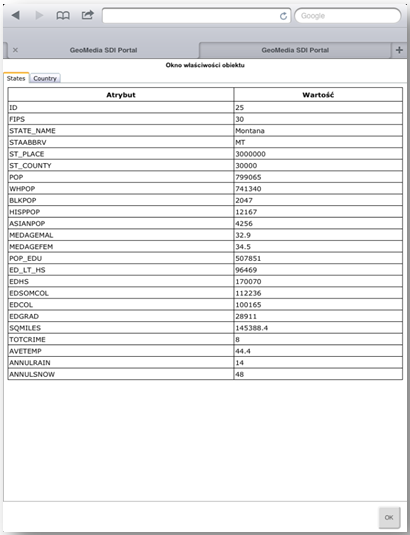
The Feature Info form is displayed in the entire browser window. To close this form and to go back to the map window, click the  button, which is located on the lower-right side of the form.
 The Feature Info utility returns information for all found objects for each layer in a specified place. If more than one object (from various layers) is found, the information for these objects is presented in separate tabs of the Feature Info window.