This section is valid for all product tiers.
 This section is valid for all product tiers.
Layers in Geospatial Portal can be displayed in various formats, such as PNG, JPEG, SVG, SVGZ, or GIF. The format used for displaying particular layers is determined by the service that serves the data.
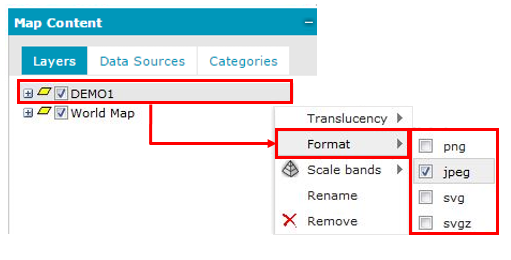
Set the display format for a layer added to the Map Content
Only formats supported by a given service are listed and available in the context menu. The command for setting the format is available only for the parent layer; meaning that the selected format is applied to all sub layers.
Set the display format for more than one layer
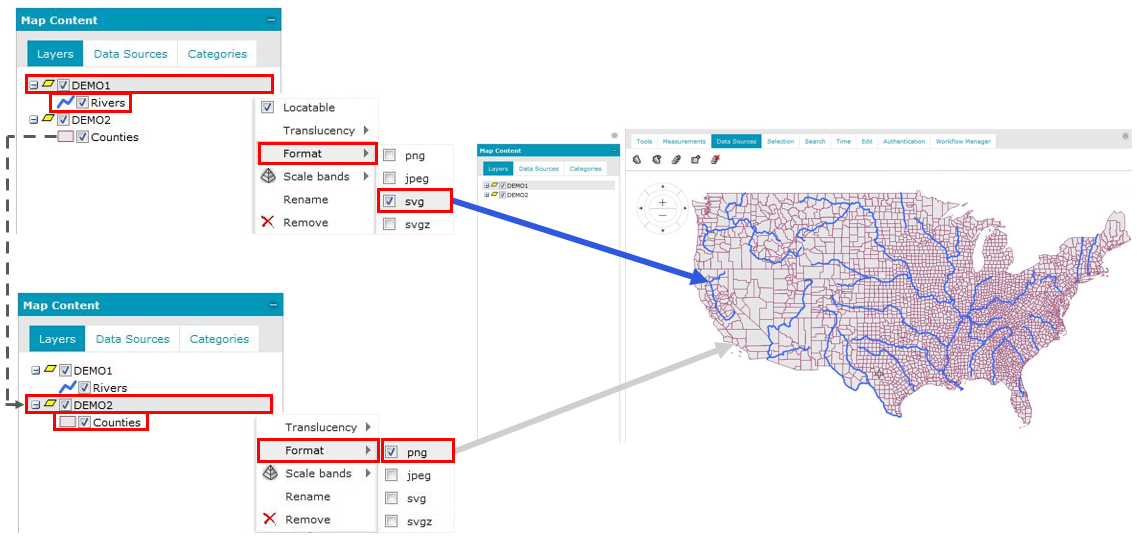
To display on a map the layers (feature classes) from one service that are in different formats:
As a result, feature classes (sub layers) have a separate parent layer, but they can be displayed on the map in different formats.