
Some Geospatial Portal components are disabled while working in 3D mode. The following functionalities are unavailable on the Toolbar while working with the 3D map control:
The table below show which functionalities of particular sidebar panels are unavailable in 3D mode:
Sidebar panel |
Functionality available in layouts |
Functionality limitation |
Search Metadata |
full.aspx |
Functionality not available. |
Analyses |
full.aspx; apollo.aspx; apollopro.aspx |
Spatial filtering is disabled. |
Settings |
full.aspx; apollo.aspx; apollopro.aspx; IWS.aspx; GWMPub.aspx |
The settings are not applicable in 3D mode except displaying and changing system of measurements. |
Search ERDAS APOLLO |
apollo.aspx; apollopro.aspx
|
Spatial filtering is disabled. |
Clip-Zip-Ship |
apollo.aspx; apollopro.aspx
|
Functionality not available.
|
In the ERDAS APOLLO Search Result Panel (available only for apollo.aspx and apollopro.aspx layouts), the Add to Clip-Zip-Ship button is disabled because the Clip-Zip-Ship panel on the Sidebar is unavailable in 3D mode.
The data coming from WebMap Publisher service in 3D mode can be displayed only in raster format, such as png or jpeg.
Google Maps and Bing Maps can be displayed in 2D view only.
To start working with Geospatial Portal
The license owner information is displayed on the Geospatial Portal splash screen.
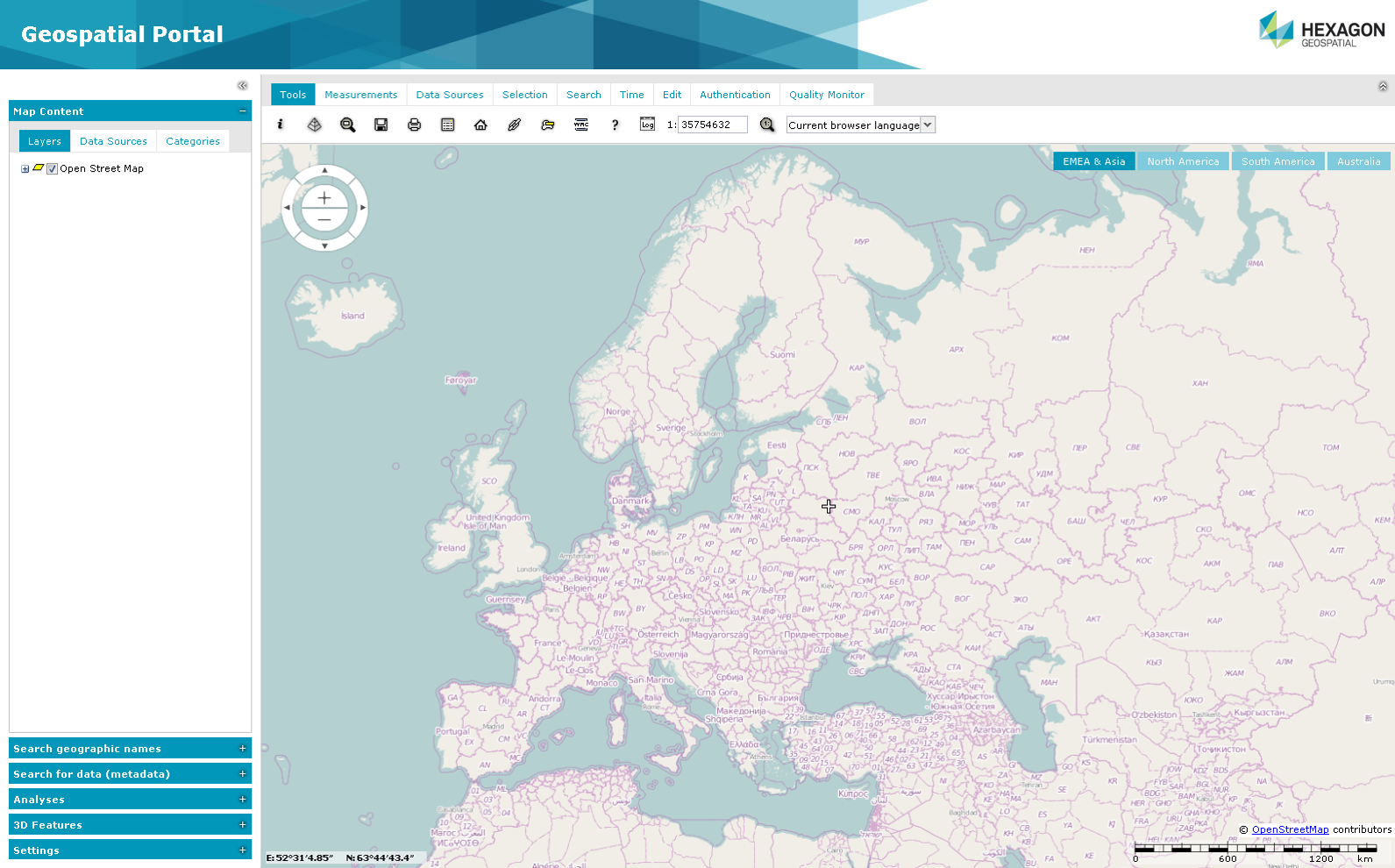
 Geospatial Portal is not supported to work in Compatibility View in Internet Explorer browsers. - this option must be switched off by the user.
Geospatial Portal Standard Layout User Interface
Geospatial Portal in standard layout consists of the following user interface elements:
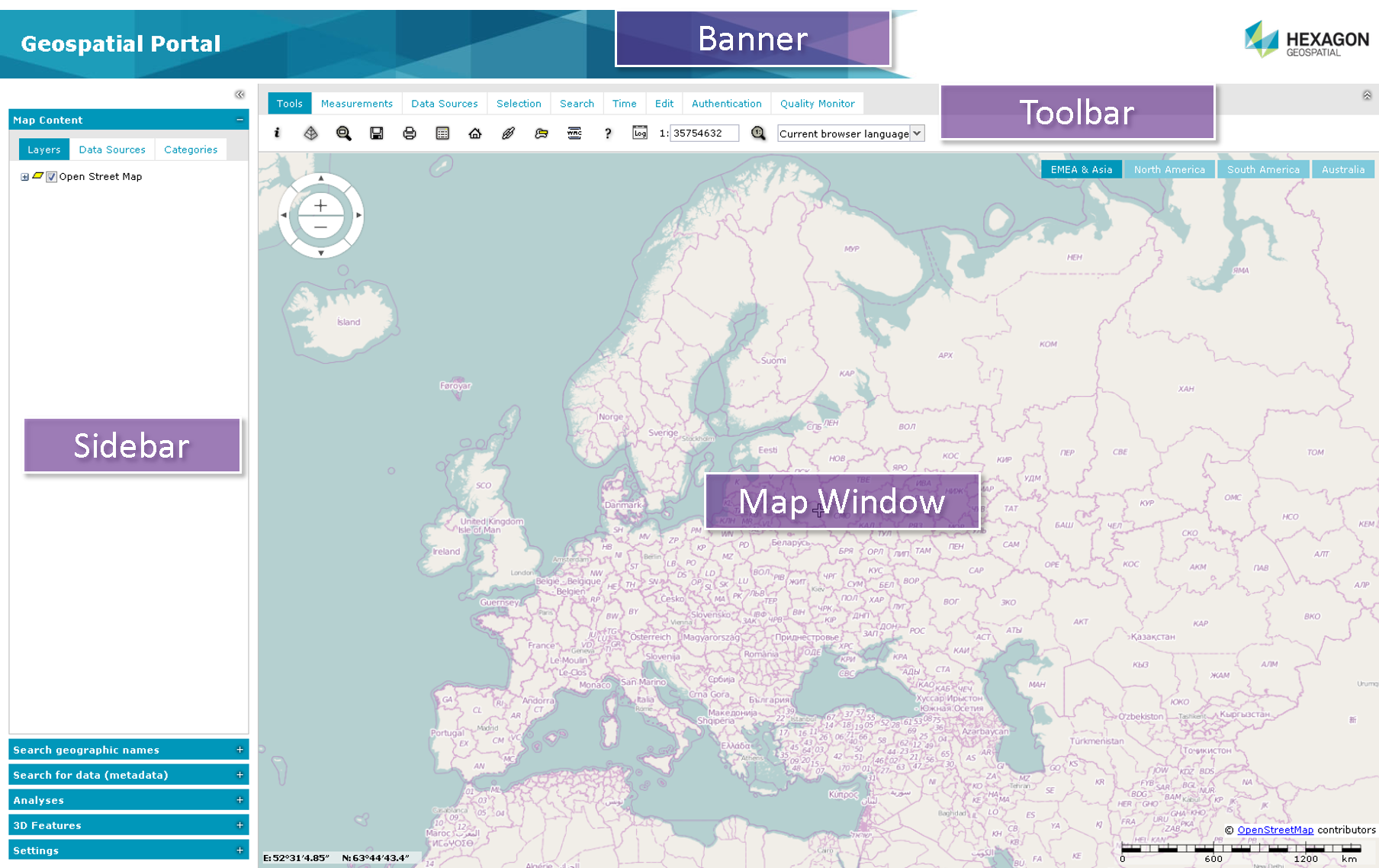
Toolbar
The toolbar consists of the following tabs where special options and functions are grouped:
Sidebar
The tools on the Sidebar can be used for:
Additionally, when a portal is run in apollopro.aspx or apollo.aspx layout, the tools on the Sidebar can be used to perform the following operations in the ERDAS APOLLO Catalog:
The Sidebar contains the following panels:
Map Window
The map window is where all layers with spatial data are displayed. It consists of the following elements:
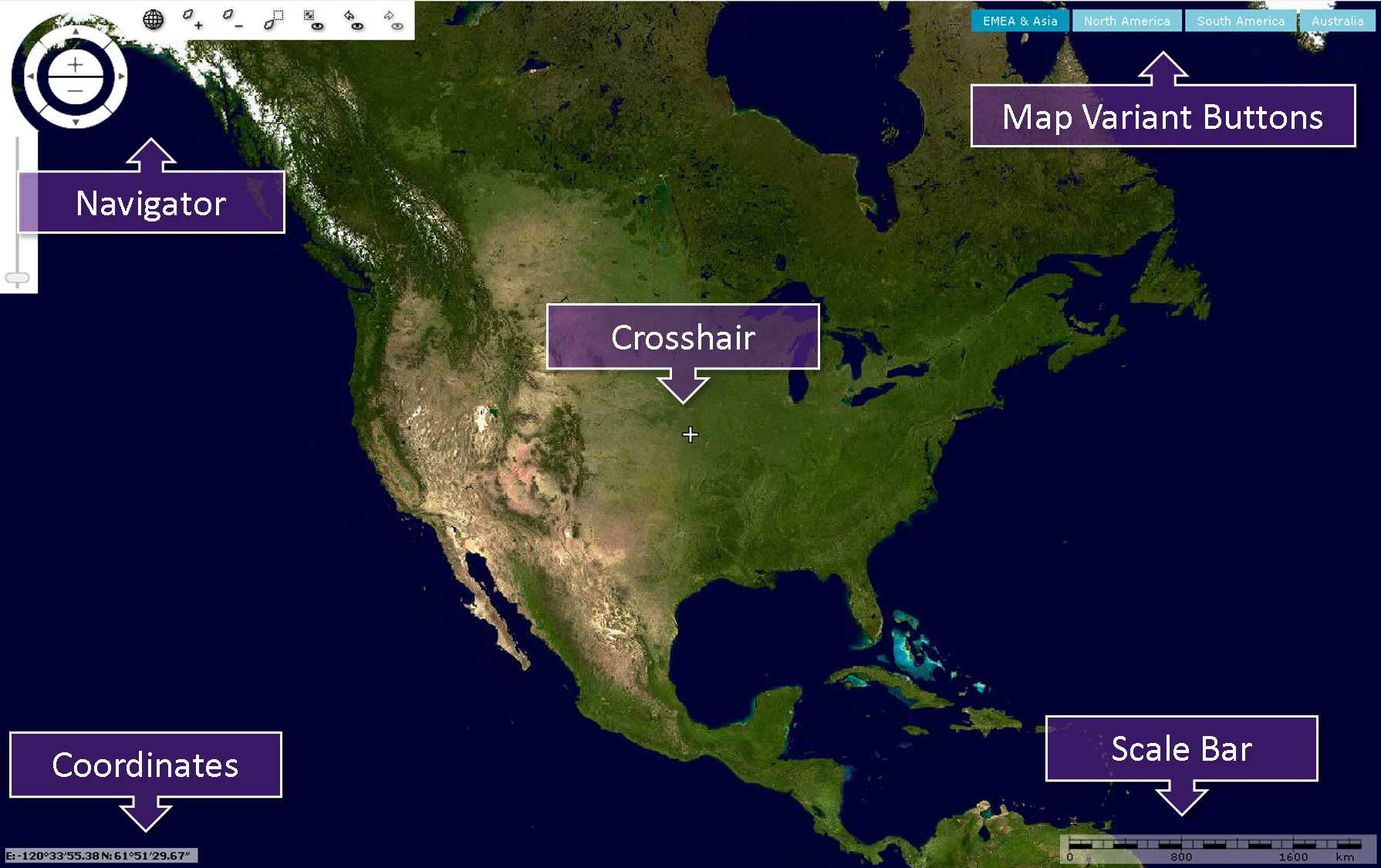
The pictures in this document may appear slightly different from software depending on your operating system and theme applied for your Geospatial Portal.