 This section is valid for all product flavors.
 This section is valid for all product flavors.
On the Layers panel, you can manage map layers that make the currently displayed composition. Here you can:
To open the Layers tab/sidebar, click on the Layers button  .
.
To change the layer order, drag the selected layer entry on the Layers sidebar and drop on the new position.
Click the  button to turn off the display of the selected layer. The entry for layers that are not currently displayed is grayed out. Click the
  button to turn on the display of the selected layer.
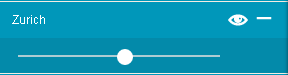
To change the layer transparency, click the  button. The transparency slide bar is displayed under the selected layer, which allows you to set the desired transparency for the selected layer:
In case given layer is out of scale range then all layers options are disabled till the map scale corresponds to the scale band set for given layer.