With Geospatial Portal you can extrude 2D vector features to three dimensions in order to build 3D scenes (cities) in seconds.
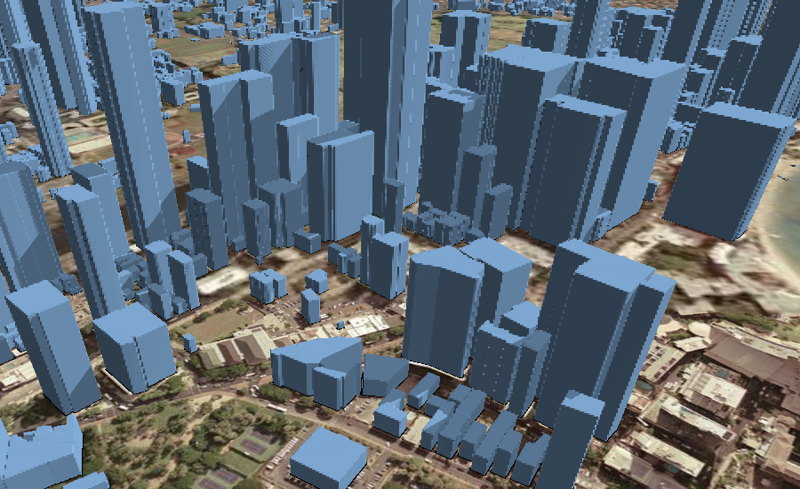
In the pictures below, you can see 2D buildings footprints covering the 3D Map Tiles and the extruded features (3D buildings) created using the Extrusion functionality in Geospatial Portal.
In order to extrude 2D features to 3D:
Register Web Feature Service and display layer(s) with vector features to be extruded.
Extrusion works only with Web Feature Services.
Toggle 3D mode in case the Geospatial Portal runs in 2D mode.
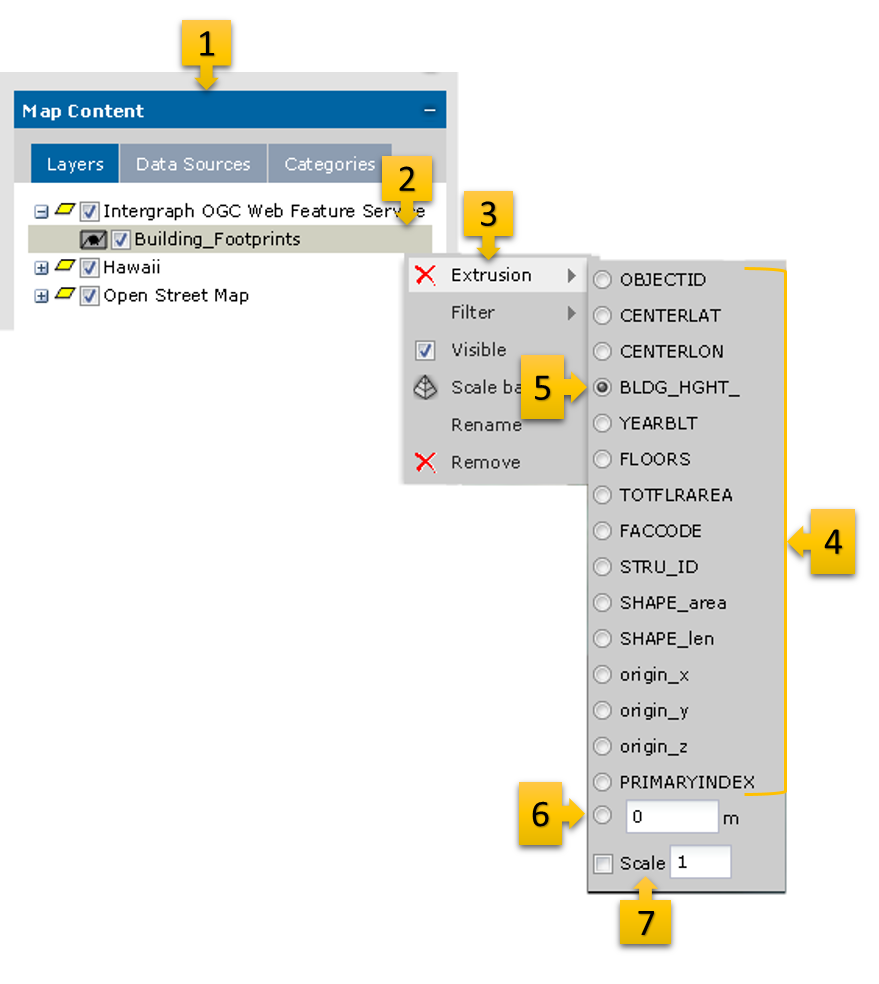
Go to the Map Content tab [1] and open the context menu for the selected layer with 2D vector features [2].
From the context menu, select Extrusion [3]. The list of all available attributes for the given feature class is displayed [4].
Select the attribute from the list that will be used to calculate the height for each object [5].
OR
Enter the specific value that will be used for extrusion [6]. In this case the height for all objects will be equal.
The 2D objects will be extruded immediately.
Optionally, you can scale the height of objects. To do this, enter the value in the scale field [7] and the height of each feature will be multiplied by the given value.
The Extrusion works only in 3D view mode.
In order to remove the extrusion click the button next to the Extrusion function in layer context menu.
 This feature requires the WebGL.
 This section is valid for all product flavors.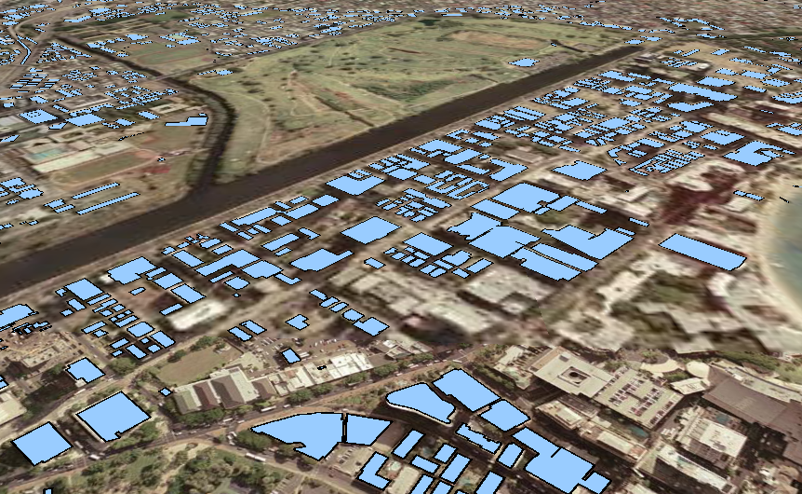
 button next to the Extrusion function in layer context menu.