 This section is valid for the following products: Geospatial Portal, GeoMedia WebMap Advantage, and GeoMedia WebMap Professional.
 This section is valid for the following products: Geospatial Portal, GeoMedia WebMap Advantage, and GeoMedia WebMap Professional.
Organizations running Geospatial Portal can now use them together with Workflow Manager to automate the business processes. Workflow Manager is a standalone product consisting of a rich toolset to construct highly-focused processes that can be made available in the browser. GeoMedia Smart Client Workflows offer an easy-to-use metalanguage to guide users through workflows. With the simple configuration defined in XML, you can create your own processes with lists and forms to edit attributive data.
Workflow Manager tab is not available in Geospatial Portal by default. This is a custom feature that Geospatial Portal Administrator can define and adapt to the requirements of individual users. Options grouped in the Workflow Manager tab allow you to run and execute the form-based, task specific GeoMedia Smart Client Workflows that primarily support attributive data, but also may contain a spatial component.
Start GeoMedia Smart Client Workflow in Geospatial Portal
Below is the sample view of GeoMedia Smart Client Workflow being run in Geospatial Portal.
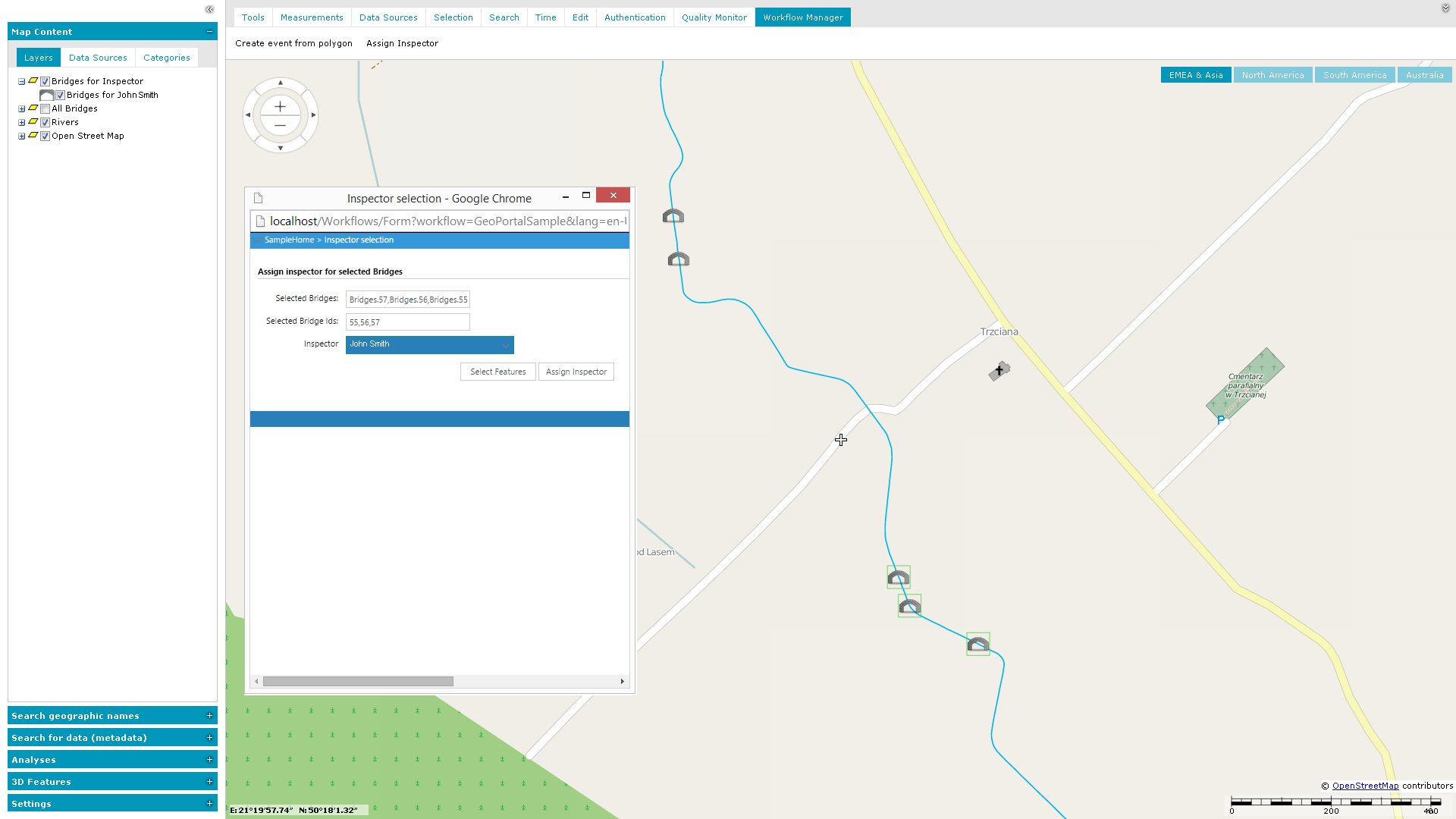
 For information on configuring the GeoMedia Smart Client Workflows with Geospatial Portal, see Configuring Geospatial Portal with Administration Console > Workflow Manager in Geospatial Portal Administrator Guide.
To learn how to create GeoMedia Smart Client Workflows, see the GeoMedia Smart Client documentation.