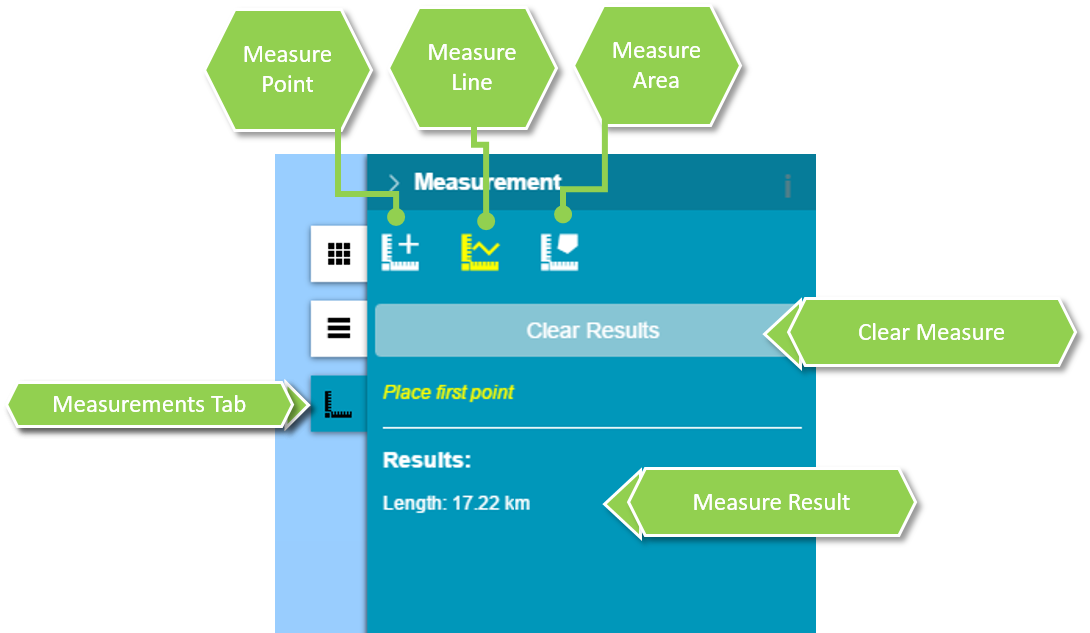
You can measure area, (poly)line of a features displayed on the map or read the geographic coordinates of given point.
To perform measurements:
Click to open measurements tab.
Select measurement type
Place first point on the map, then place next points if you measure area or (poly)line. Complete by double clicking. The result is displayed in the right panel.
To get point coordinates:
Click to open measurements tab.
Click measurement point button in the Measurements panel.
Click a location on the map to get its geographical coordinates.Coordinates are displayed in the right panel.
 to open measurements tab.