The Feature Info tool retrieves attribute information for all layers under the tapped point if such data is available.
To open the property dialog for a feature selected on the map:
Click Feature Info button located near the navigation bar. Cursor changes to a cross hair.
Click on the object on the map.
The “Feature Info” tool retrieves attribute information for all layers under the tapped point if such data is available. The list of queryable layers at desired point is displayed.
Select the layer for which you want to obtain information and the feature info dialog with set of available attributes will be displayed.
The appearance of the feature info dialog is determined by service and feature info format (XML/HTML) chosen at the time the service was registered in Portal.
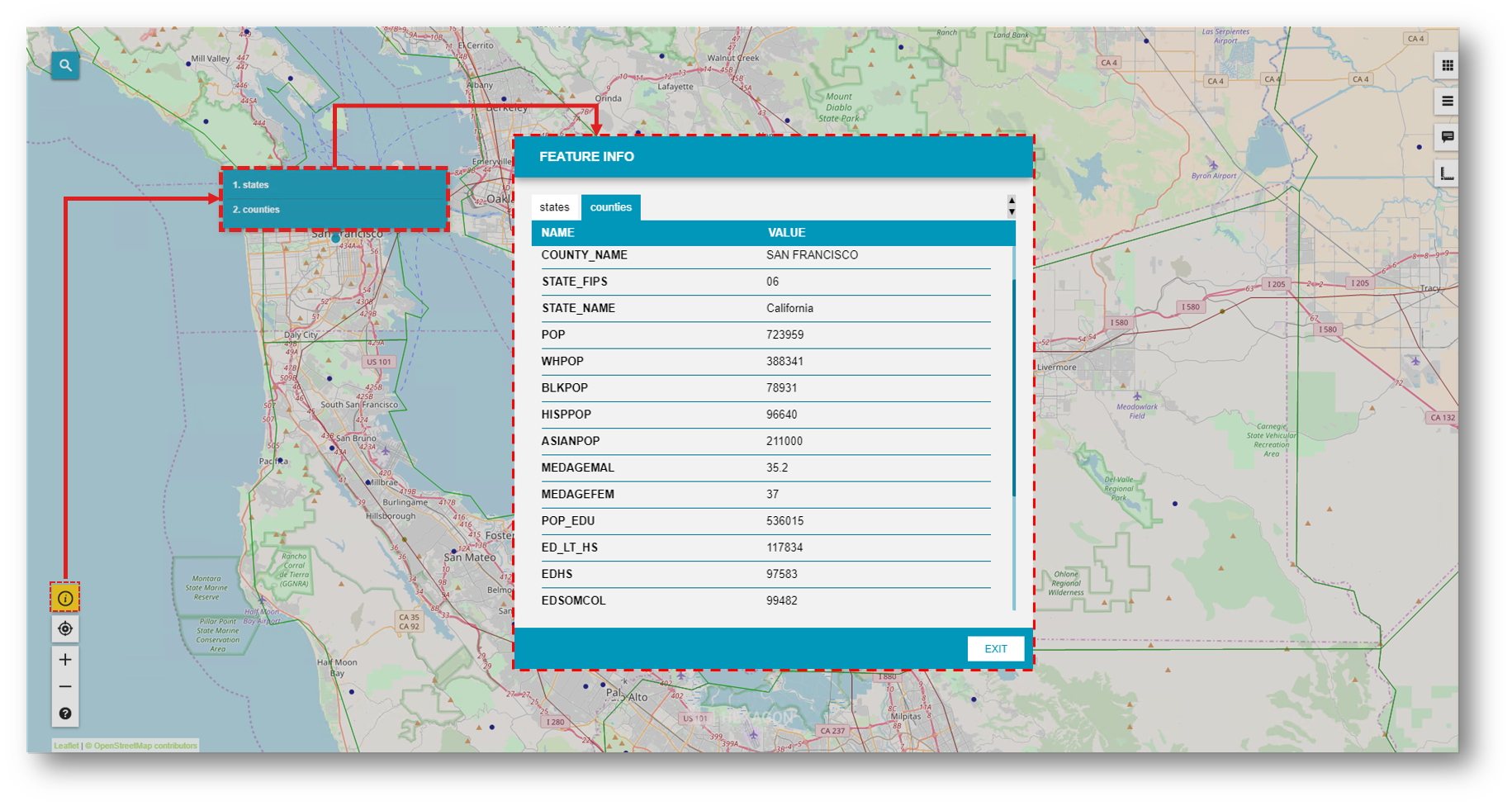
 The appearance of the feature info dialog is determined by service and feature info format (XML/HTML) chosen at the time the service was registered in Portal.