 This section is valid for all product flavors.
 This section is valid for all product flavors.
Geospatial Portal provide a range of tools for performing measurements on the map. The measurements can be performed in both Geospatial Portal view modes: 2D and 3D. Tools for measuring distance, area, and points (read point coordinates) are grouped on the toolbar in the Measurements tab.
Icon |
Name |
Description |
|
Measure point |
Lets you read the geographical coordinates of a designated point. Coordinates of a point are displayed on the map. |
|
Measure distance |
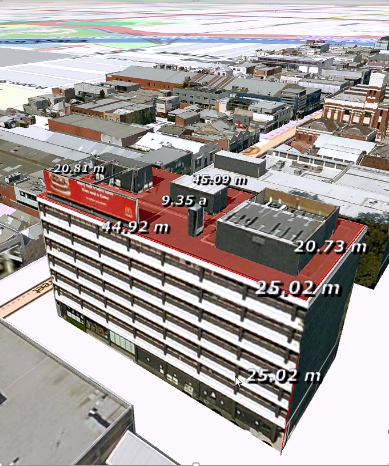
Lets you measure the distance between two points or multiple points. |
|
Measure area |
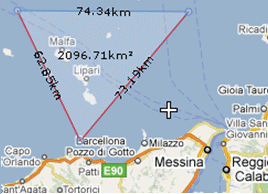
Lets you measure the polygon area. Distance between points is also measured. |
|
Clear measures |
Clears all measurements from the map. |
|
Show/Hide Measurements |
Toggles on/off the visibility of labels with the values for the measured objects. |
Below are the pictures showing the sample measurements performed on a 2D map and 3D object.
 5
5
The measurements can be performed in metric or imperial units. User can choose the type of units on the Settings tab using the System of measurement pull down list.


