 This section is valid for all product flavors.
 This section is valid for all product flavors.
Geospatial Portal provides functionality for user registration and login. When you are registered in Geospatial Portal, you have your own profile (folder on the server) that stores user maps. For more information, see User Maps.
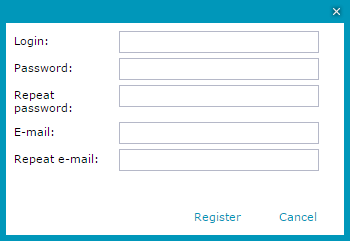
The function for user registration is available in the Authentication tab. After selecting the Register option, you must provide the following data on the registration form:
To register, click Register on the registration form. The software sends you an email that contains a link to the registration form. Click the link to complete the registration process. Information about successful account activation appears in a new Web browser window.
Depending on administrative settings, the activation of your account using a link sent via e-mail may be not necessary.
To log in, select Login on the Authentication tab.
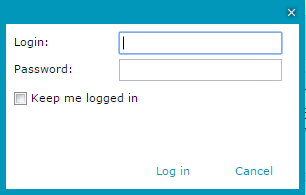
Type a valid user name and password in the Login dialog box, and click Log in.
In ERDAS APOLLO Geospatial Portal (layouts apollo.aspx or apollopro.aspx) user profile is created automatically with first log on to ERDAS APOLLO Catalog in Geospatial Portal. Since then ERDAS APOLLO account and portal user profile are linked. There is no possibility to register individual portal user account when working with layouts apollo.aspx or apollopro.aspx.
To log in, type a valid user name and password and click Log in.

The authentication to the Geospatial Portal user profile is fully integrated with authentication to the ERDAS APOLLO Catalog. This authentication integration mechanism implies the following: