 This feature is available only in 2D view mode.
 This feature is available only in 2D view mode.
 This section is valid for the following flavors: Geospatial Portal, GeoMedia WebMap Advantage, GeoMedia WebMap Professional, ERDAS Apollo Professional and ERDAS Apollo Advantage.
This chapter describes all the tools and workflows used for editing the features geometry. All presented workflows are based on a sample PSS service.
Tools used for editing vector data are grouped in the Edit tab of the toolbar.

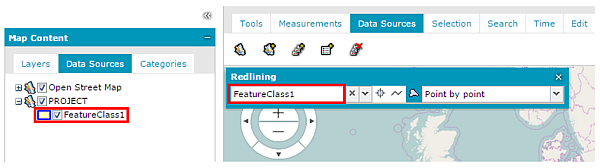
To edit vector data provided by the service, ensure that the feature class layer containing features to be edited is checked in the Map Content tab so that it is displayed in the map window.
Topics |